


Eze and Co Discounts
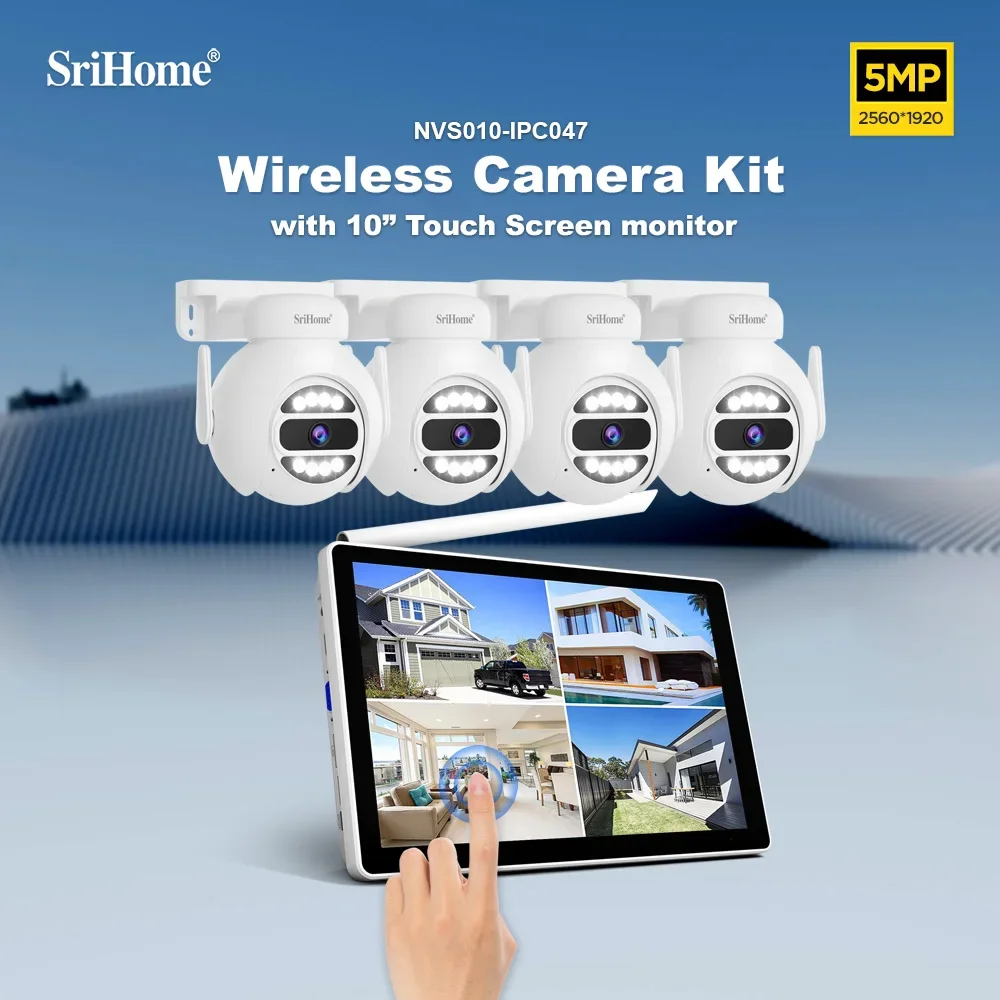
Srihome NVS010 5MP 10 Inch IPS Screen Wireless
Srihome NVS010 5MP 10 Inch IPS Screen Wireless
Couldn't load pickup availability
SPECIFICATIONS
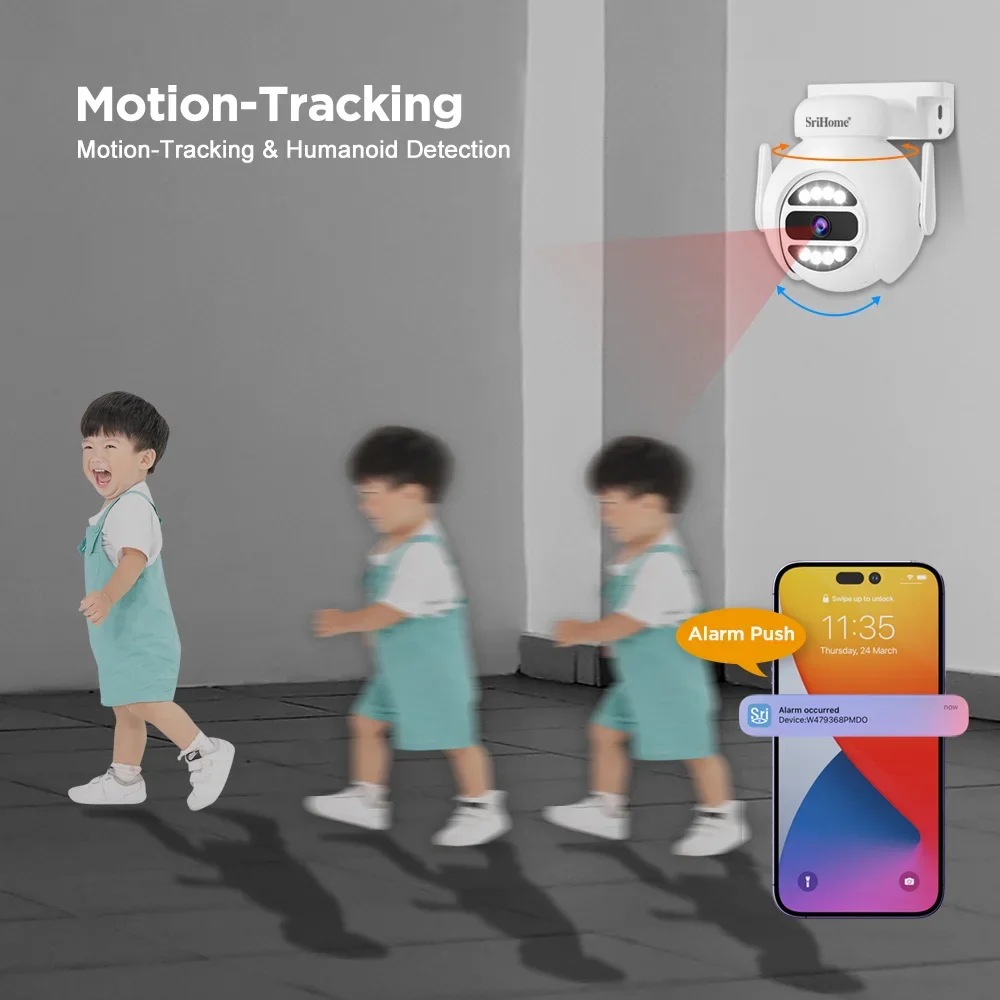
AI Functions: Motion Detection
AI Technology: AI auto motion tracking, AI Humanoid Detection
Alarm: Motion detection alarm
Alarm Action: telefon Alarm
Alarm Type: telefon Alarm
App name: Other
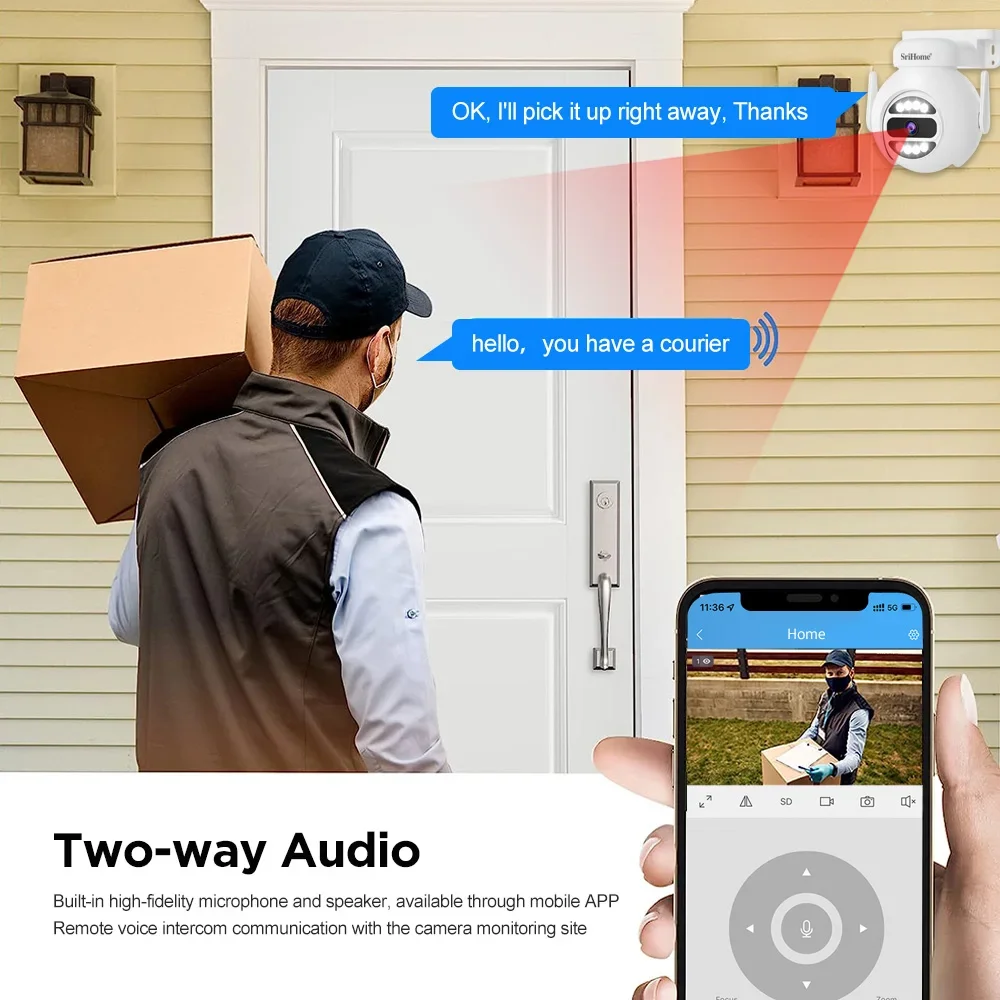
Audio: Built-in Mic & Speaker, supports two-way audio
Audio Output: Two Way Audio
Brand Name: Jinvb
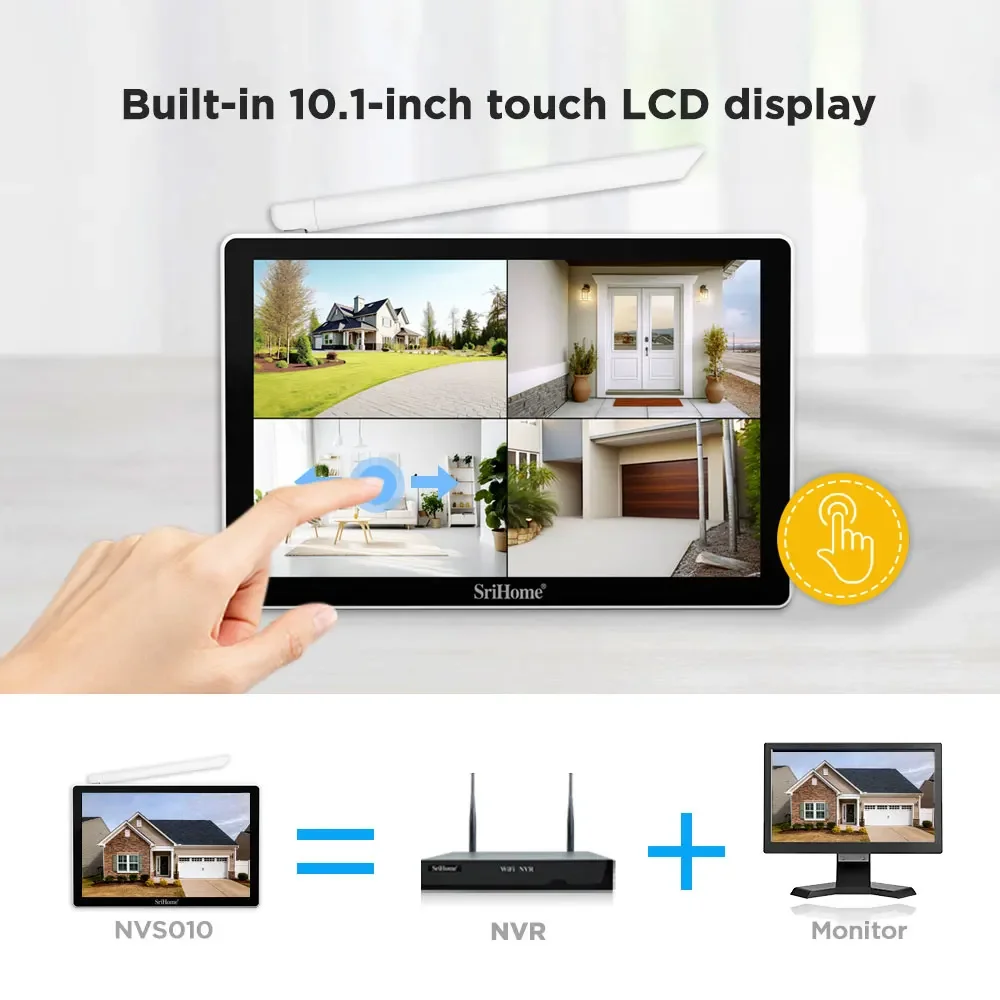
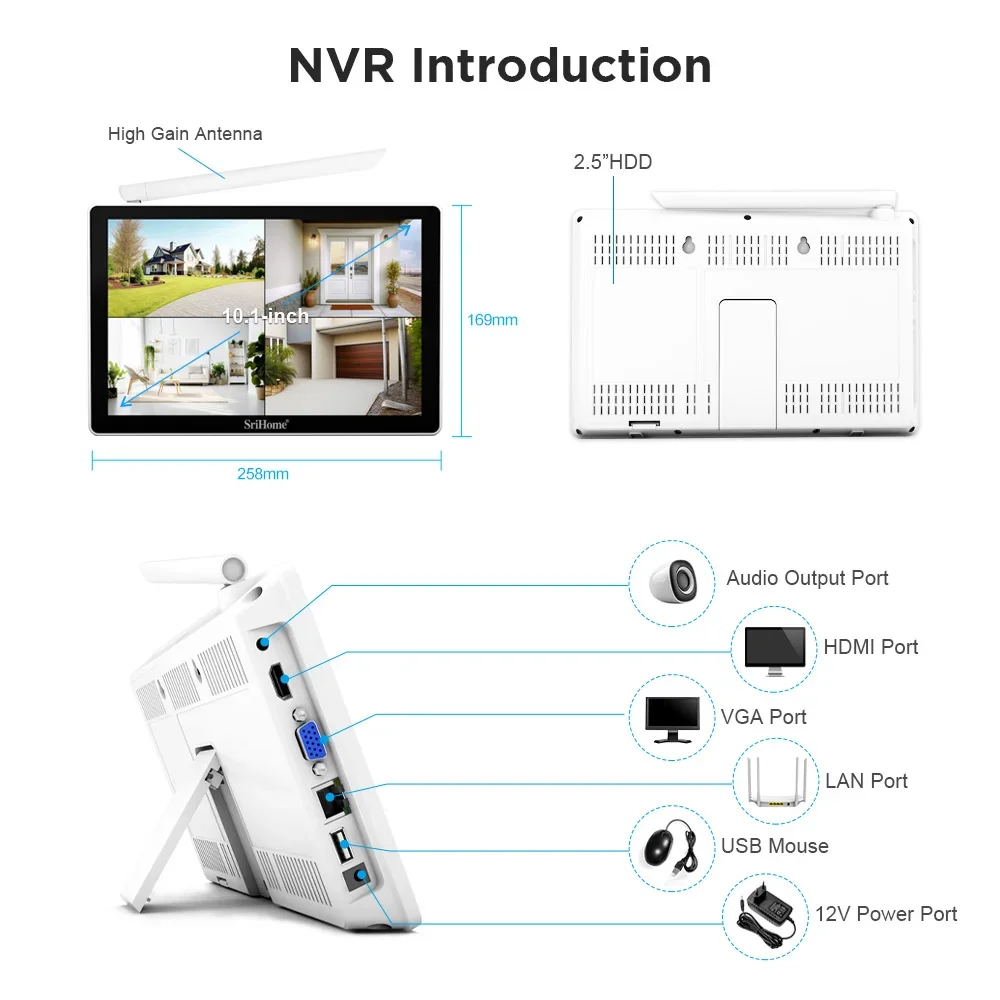
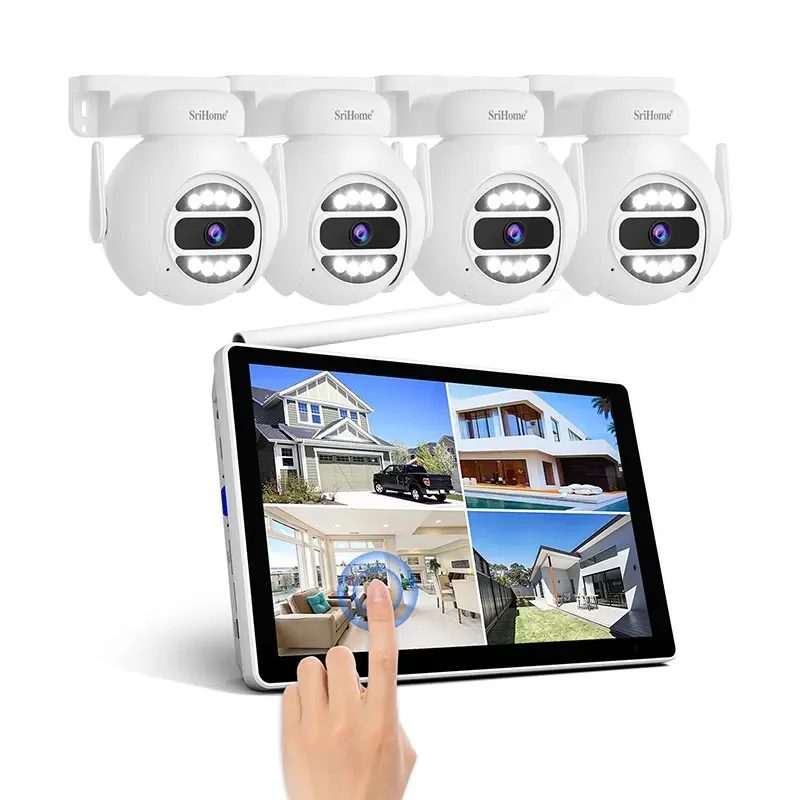
Bring your own 10.1-inch LCD screen and support multi-touch: 5 megapixels, supports up to 8 5MP wireless cameras
Color: WHITE
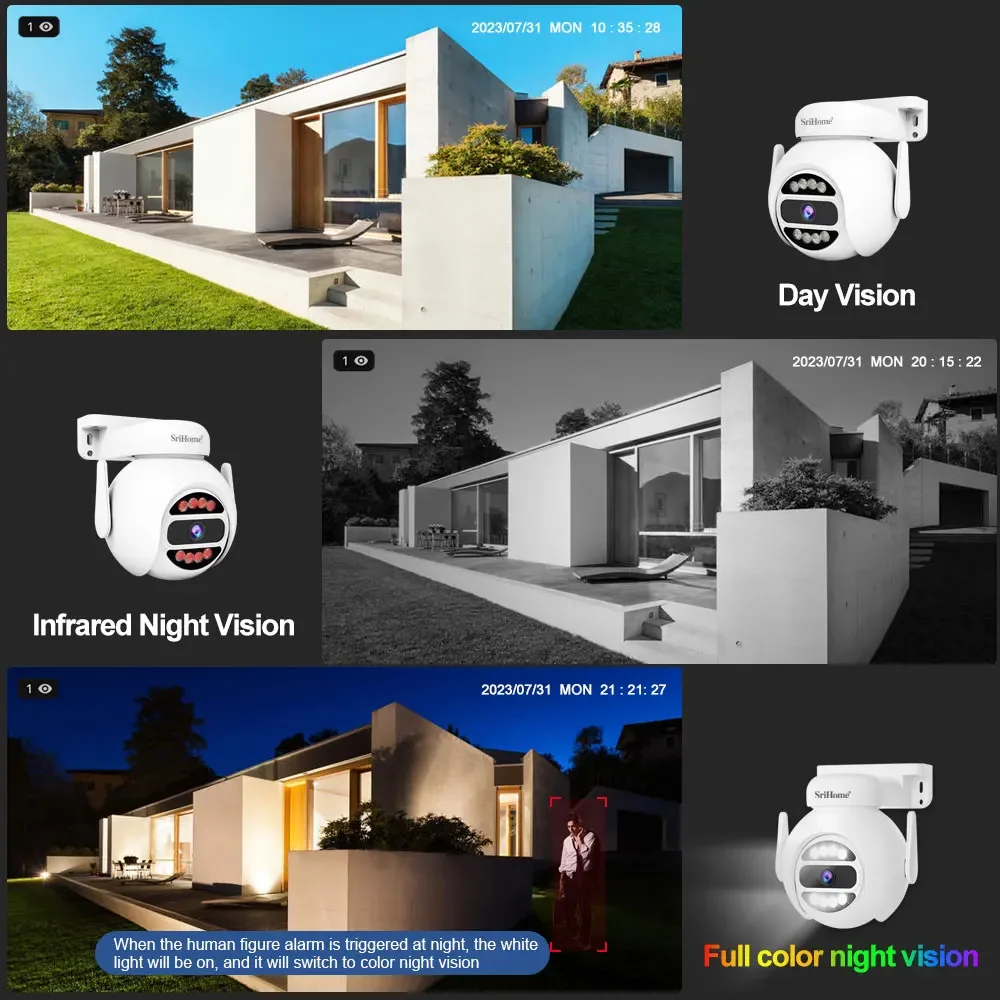
Color Night Vision: Yes
Connectivity: WIFI(2.4GHz)
Feature: camara vigilancia wifi
Feature2: wifi camera
Feature3: camaras vigilancia casa
Feature4: camera security
Feature5: camera wifi
Function: security protection
High Definition: 2.0 Megapixels
High-concerned chemical: None
IP Rating: Other
Installation: Wall Mounted
Internal Storage: 128G
Lens (mm): 2.8-12mm
Lens Quantity: Single Lens
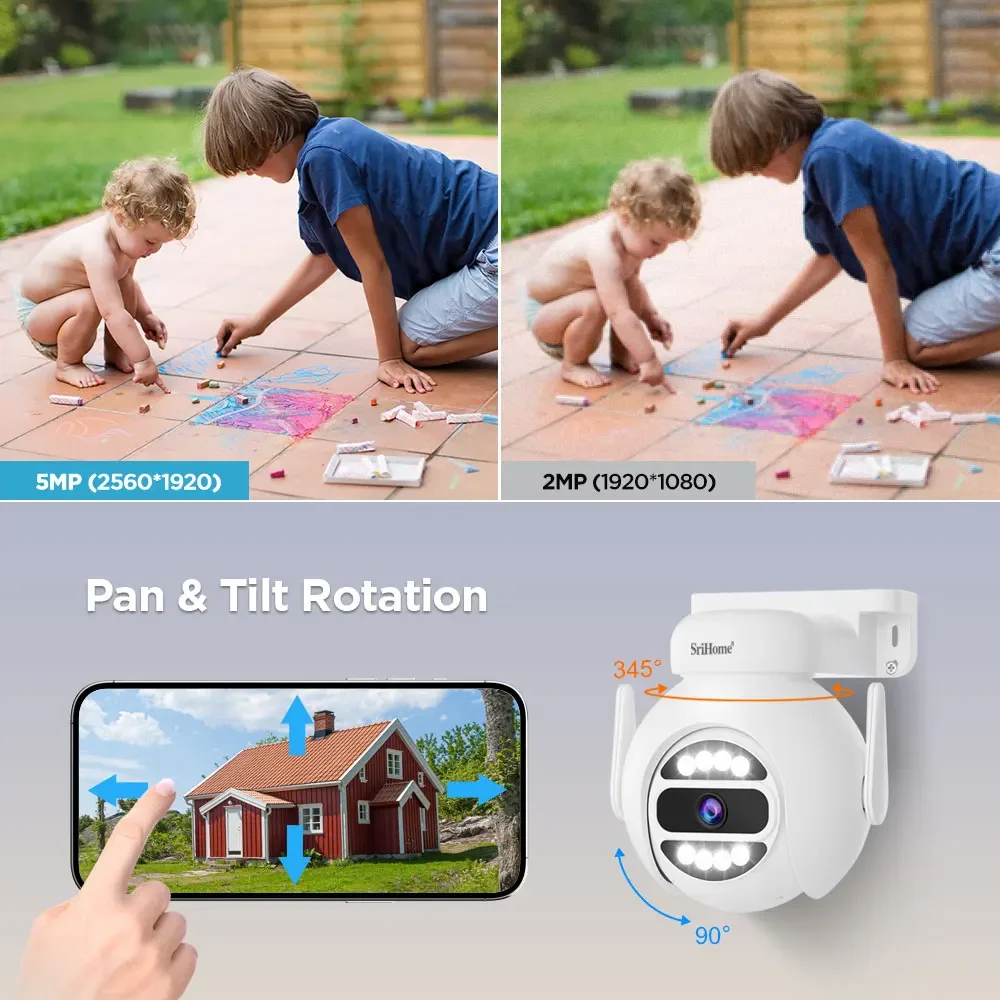
Megapixels: 5 MP
Minimum Illumination(Lux): 0.01 Lux
Movement Range(Pan): 0°-360°
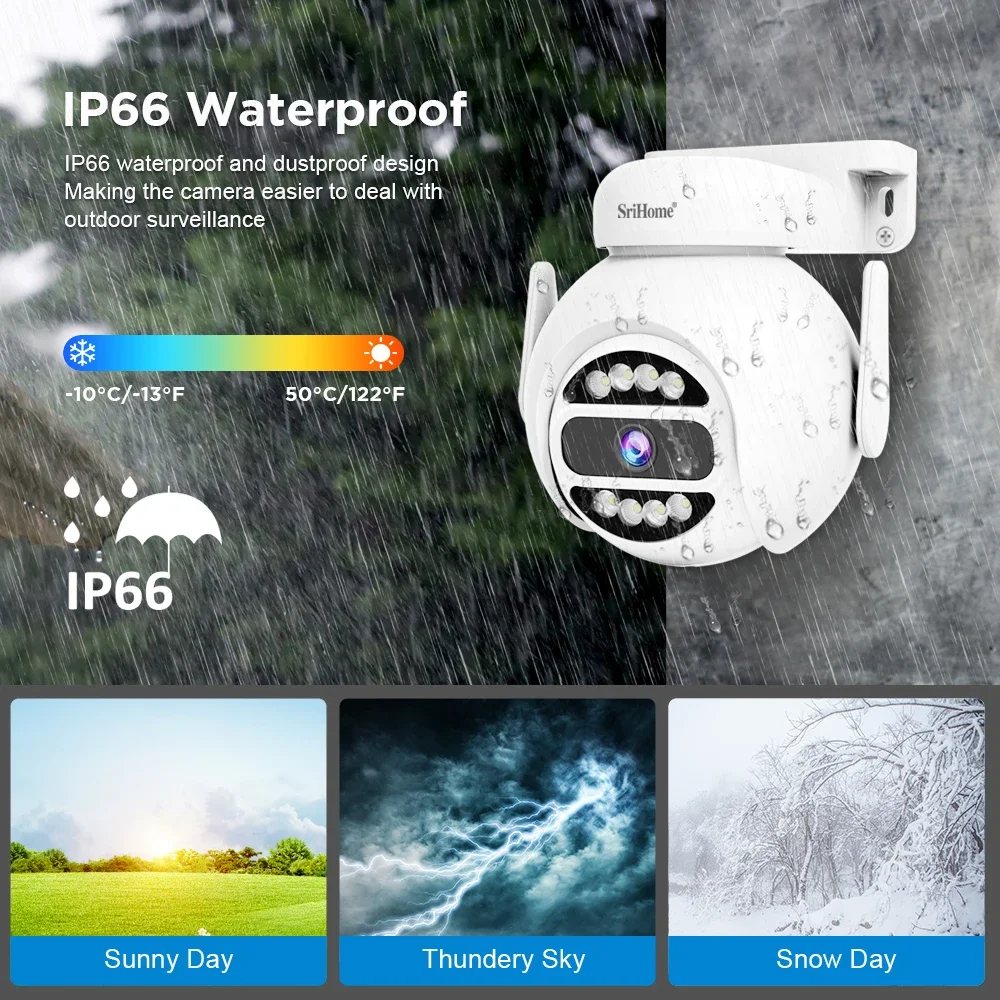
Operating Temperature: -10°-60°
Origin: Mainland China
Power Mode: Mains Electricity
Power Supply: Normal
Rechargeable Battery Capability: Other
Scene: Outdoor
Sensor: CMOS
Smart home platform: Other
Special Features: Waterproof / Weatherproof
SriHome App: iOS & Android
Style: Dome Camera
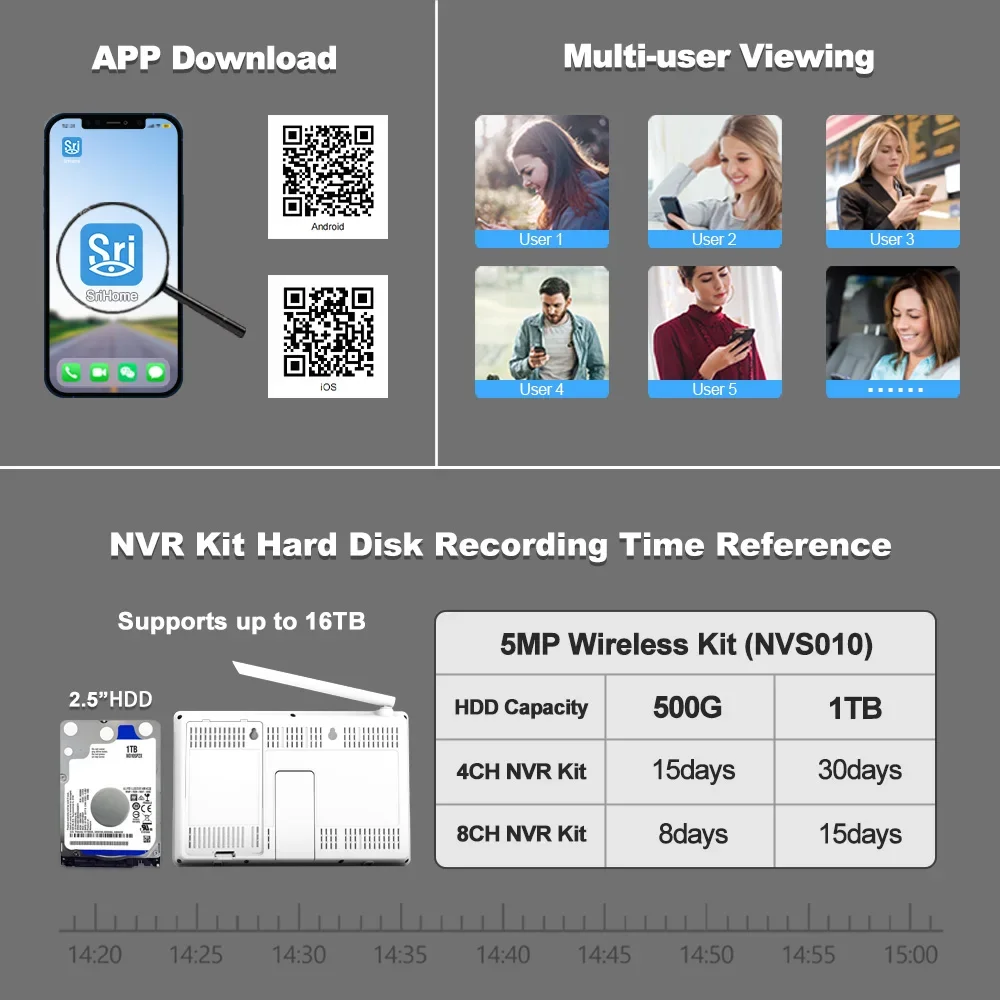
Support SriHome cloud platform, which can be configured to surf the Internet with one click: Support storage and playback of up to 16TB hard disk (2.5 inches)
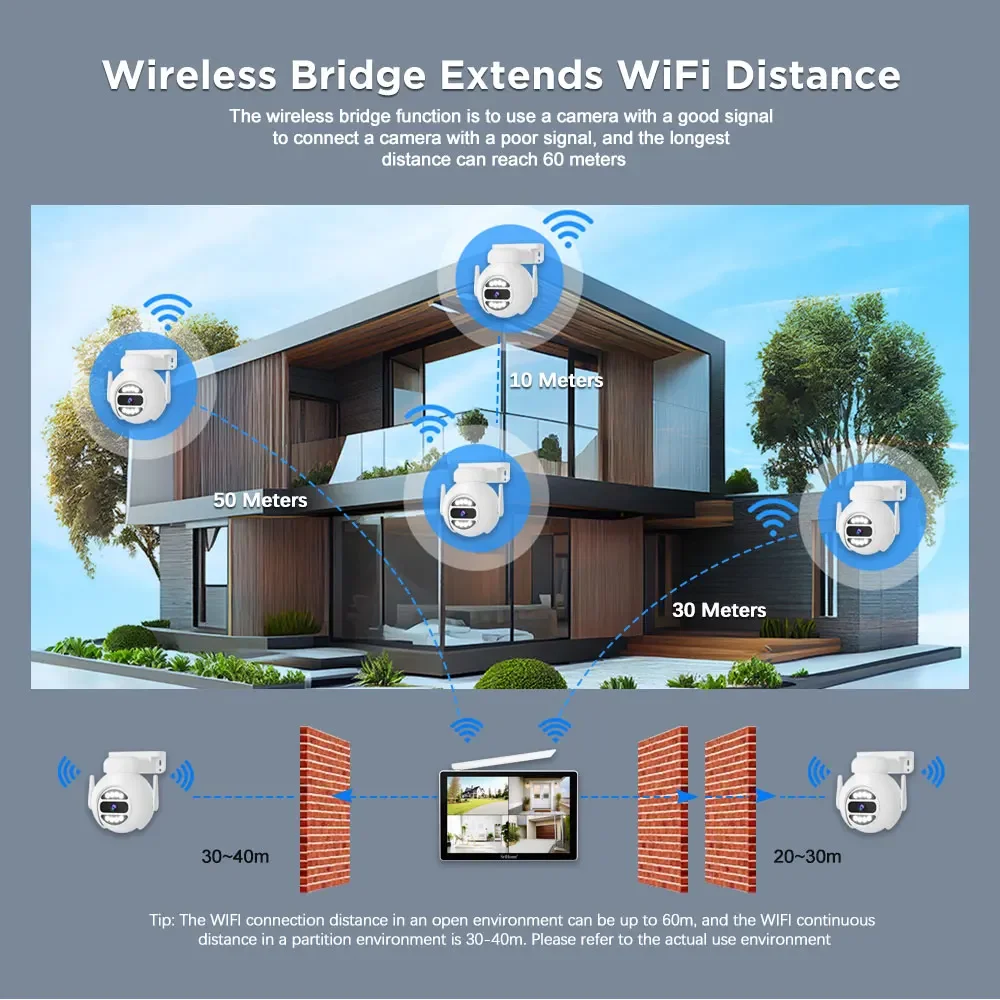
Support wireless bridge mode-WiFi range up to 60 meters: Support for HDMI and VGA or MIPI screen output
Supported Mobile Systems: Android,iOS
Supported Operating Systems: Windows 7,Windows 8,Windows 10
Two-way voice, built-in omni-directional microphone and speaker: security protection
Video Compression Format: H.264,H.265
Zoom: None
Zoom type: None
camera security: camaras de de seguridad wifi,baby monitor
camera seguranca wifi: cctv,camara vigilancia wifi
camera wifi wireless: camara vigilancia wifi
mini camera: camara espia
security protection: camaras de vigilancia wifi para exteriores
wifi camera: imou
1. Bring your own 10.1-inch LCD screen and support multi-touch
2. 5 megapixels, supports up to 8 5MP wireless cameras
3. Support SriHome cloud platform, which can be configured to surf the Internet with one click
4. Support storage and playback of up to 16TB hard disk (2.5 inches)
5. Support wireless bridge mode-WiFi range up to 60 meters
6. Support for HDMI and VGA or MIPI screen output
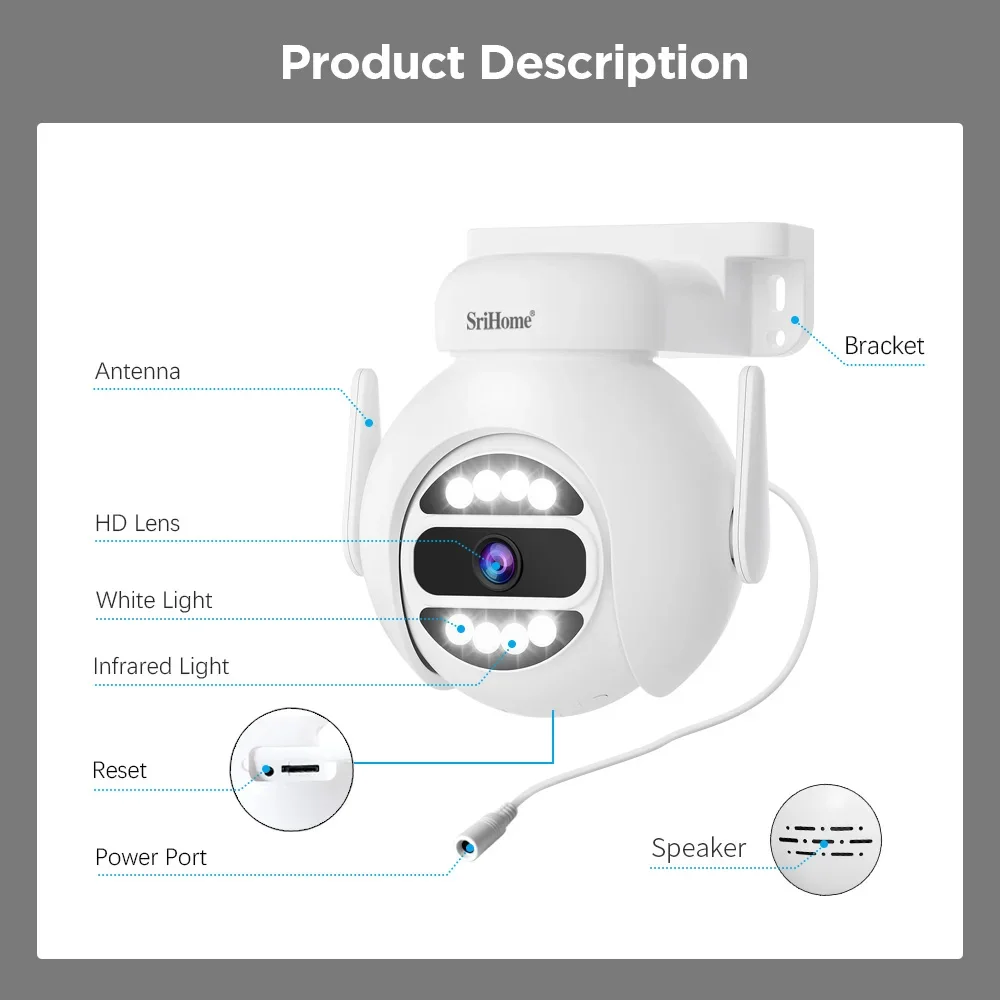
7. Two-way voice, built-in omni-directional microphone and speaker
Factory shooting
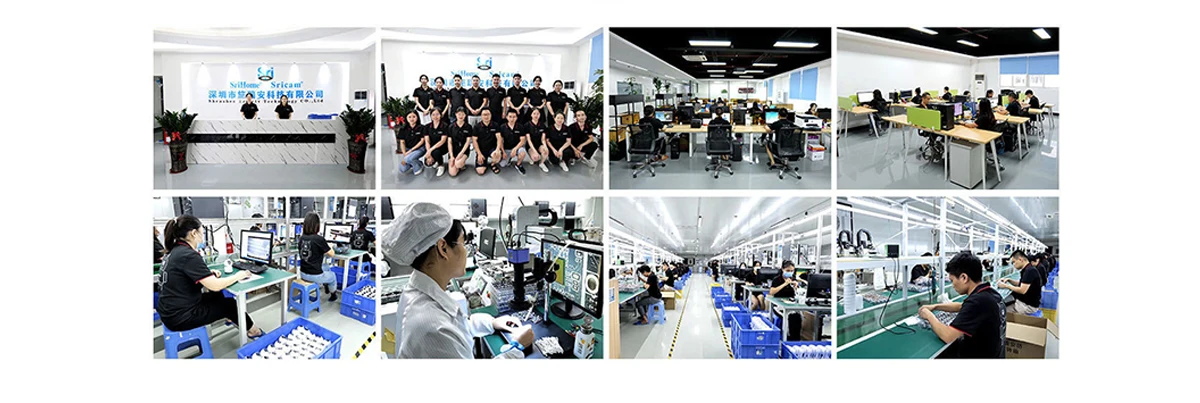
Certificate of honor

FQA
1.APP prompt "offline" when adding camera
See “camera offline” when the setup procedure
Here are questions which may help you to shoot the issue when you use an Ethernet cable to connect the IPcam to the router:
1. Make sure the Green LED on the cable connector is flashing . If not, the connect between the camera and the router is still off.
Double check to ensure both two ends securely connected. You can also try other ports which on the router.
2. Make sure your mobile phone connect to same router or same LAN as the camera cable connecting.
3. Make sure DHCP is enabled on your router.
4. Make sure NO MAC filter enabled on your router. Or you need to disable MAC filter temporiaily before successfully configure camera.
5. When you switch from Ethernet to WIFI on the app, it will ask for WiFi password, make sure the provided WiFi password is correct.
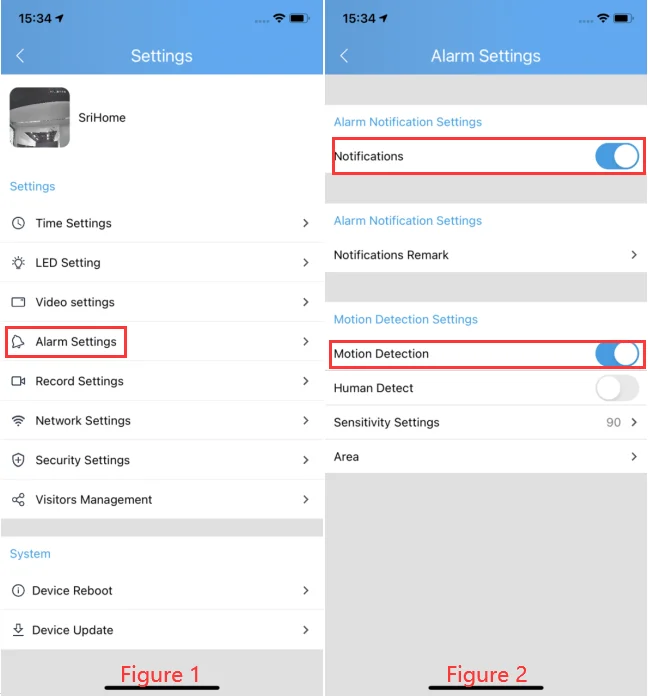
2. How to set up motion detection alarm and alarm push message
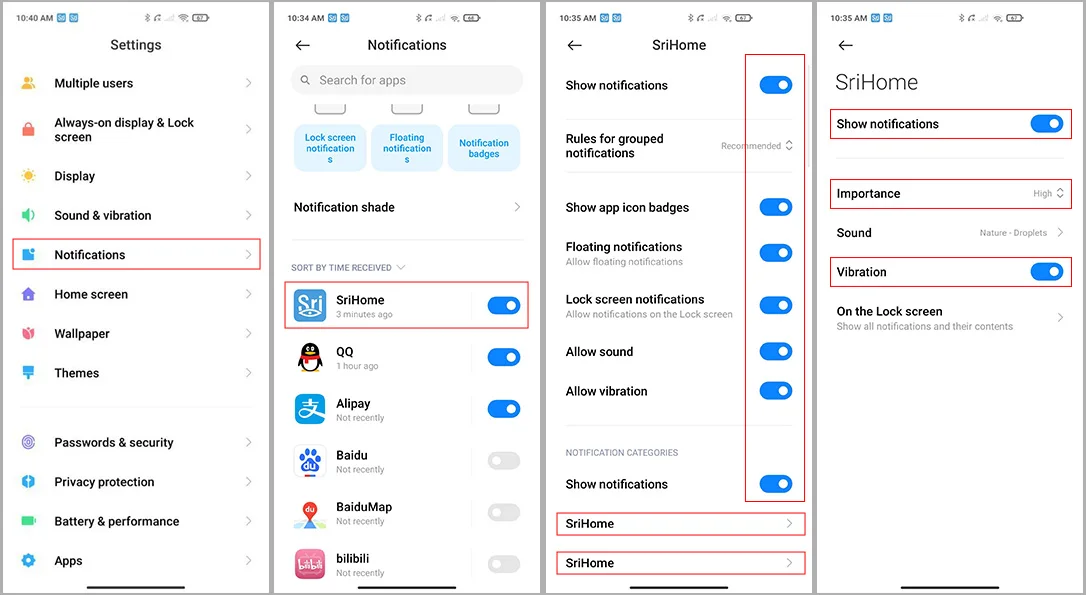
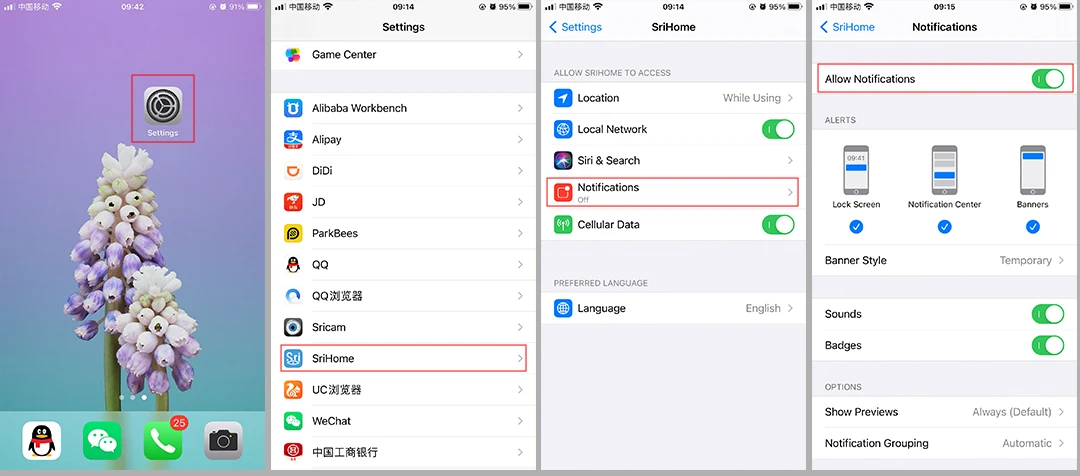
3. Camera's Wi-Fi is unstable and often offline
Followings are a few possible reasons why this may be occurring:
1. Check whether antenna is tightened.
2. Set maximum transmission power:In some wireless routers, the transmission power can be reduced,which reduces the performance
of the wireless network. Make sure your wireless router has the maximum transmit power set.
3. WiFi channels: check if WiFi channels are busy, possibly reconfigure to “Automatic”.
4. The camera IP address conflicts with other devices, needing to set camera IP address to be a fixed one.
5. Change the name of the wireless network (SSID): If there are different wireless networks with the same name (SSID) in your
environment-perhaps because a neighbor uses the same wireless router,a wireless repeater has the same name as the router - WLAN
devices could try to automatically connect to the wrong wireless network ,Therefore, set up a unique wireless network name in your wireless router or repeater.
6. To check Wi-Fi signal, in normally, it should be more than 3 bars.
(The distance between the camera and wifi router being too far might cause wifi signal to be less than 3 bars ).
4. The system does not detect an SD Card
Followings are a few possible reasons why this may be occurring:
1. Please power off camera before inserting SD card into camera.
2. The SD card read&write speed not good, please use a SD card with class 10 or above class 10.
3. The SD card is broken.
4. The SD card has not been formatted properly. please format sd www.sricam.com/srihome/download
5. The SD card slot is malfunctioning.
5. Can't connect WiFi
If you fail to setting WiFi for ip camera, please make sure your router:
1. All IP Cameras support 2.4G HZ WIFI,only some IP cameras don't support 5GHZ Wi-Fi.
2. NO MAC filter enabled on your router. Or you need to disable MAC filter temporarily before successfully configuring camera.
3. Router’s DHCP is enabled, after setting up and setting a fixed ip address for IP camera, you can disable DHCP again.
4. The WiFi Encryption is WPA/WPA2-PSK, either AES or TKIP encryption is OK if you are not using WPA/WPA2.
There is possible using WEP. It is recommended to use WPA/WPA2 now because WEP is quite old technology and not safe nowadays.
5. WiFi Channel needs to set as AUTO in order to avoid busy channels.
Inconsistent signal, it could be due to:
1) Too many devices sharing the same internet network. Please try to disconnect other devices.
2) The IP camera is too far from the router if using WIFI connection.
• Other quality and setup issue, please reset camera to factory default.
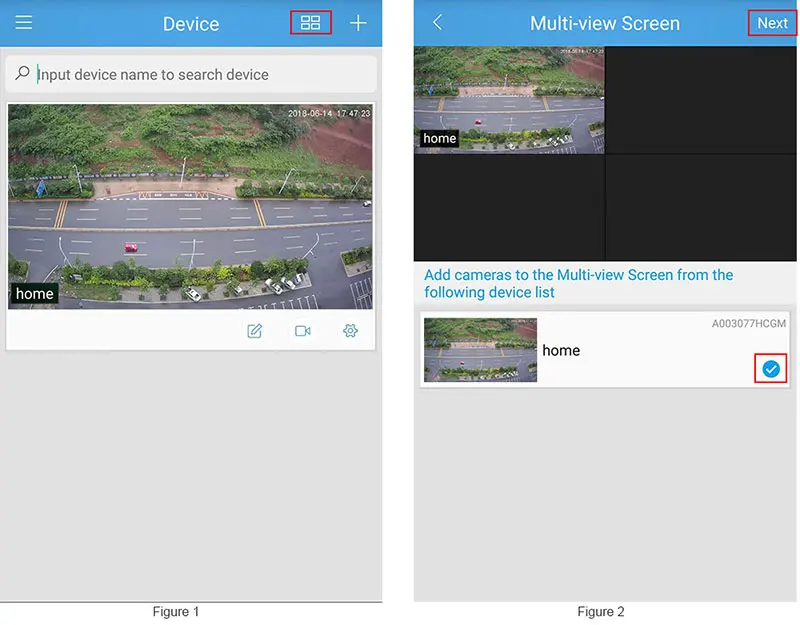
6. Multiple-view on srihome App
Step 1 :Tap the “multiple view” icon as Figure 1.
Step 2 :On the pop up windows select the camera which you want to multiple view as figure 2.
Step 3 :Tap “Next”to pop up multiple view.
If you would like to learn more about camera technology, please click to enter our official website:https://www.sricam.com/faqs.html


As seen on


Elevate Your Living Space
Discover stylish, comfortable, and durable furniture designed to fit every home. From modern essentials to statement pieces, our furniture collection blends quality craftsmanship with everyday comfort.


Garden Made Easy & Beautiful
Practicality meets elegance in every product. Explore garden tools built to simplify care, beautify your space, and stand the test of time.

What kind of products do you sell?
We offer a wide range of products including home appliances, garden tools, home furniture, smart electronics, and power tools.
Do you offer secure payment options?
Yes, all payments are processed through secure and trusted payment gateways to protect your information.
How long does shipping take?
Shipping times vary based on location and product type, but we always aim to deliver orders as quickly as possible.
Do you ship nationwide?
Yes, we ship across the United States. Availability may vary for certain large or heavy items.
Can I track my order?
Once your order is shipped, you will receive a tracking number via email.
What if I receive a damaged or incorrect item?
If there’s any issue with your order, please contact us at ezeandcodiscountsinc@gmail.com, and our support team will assist you.
-

Lightning-Fast Delivery, Right On Time
-

Friendly Support Whenever You Need
-

Safe Payments, Shop With Confidence
-

Premium Products Built To Last


